Middle click on a Mac trackpad, and actions for mouse side buttons
Published November 7, 2026 · Updated November 15, 2026 · By the Qesture team · macOS 26 and later
A middle click opens a link in a new tab and closes a tab with one click. A Mac trackpad has no middle button, and macOS has no setting to add one. Mouse side buttons have the opposite problem: they're there, but macOS has little for them to do. Here's what's built in, and how to get both.
What macOS offers
On a trackpad
There's no middle click setting in System Settings → Trackpad. The usual stand-in is ⌘-click: Command-click a link to open it in a new tab in most browsers, and press ⌘ W to close a tab.
In Trackpad → Point & Click, a three-finger tap can be set to Look up & data detectors. That's its main built-in use.
On a mouse
If your mouse has a middle button, usually a click of the wheel, macOS passes it to apps as a middle click, and most browsers use it to open links in new tabs. Buttons 4 and 5, the side buttons on many mice, have no setting of their own in macOS. Whether they do anything depends on the app.
In System Settings → Desktop & Dock, the Shortcuts button under Mission Control sets shortcuts for Mission Control, Application windows and Show Desktop. With some mice it shows a second column of menus, so these can go on a mouse button.
Middle click on the trackpad with Qesture
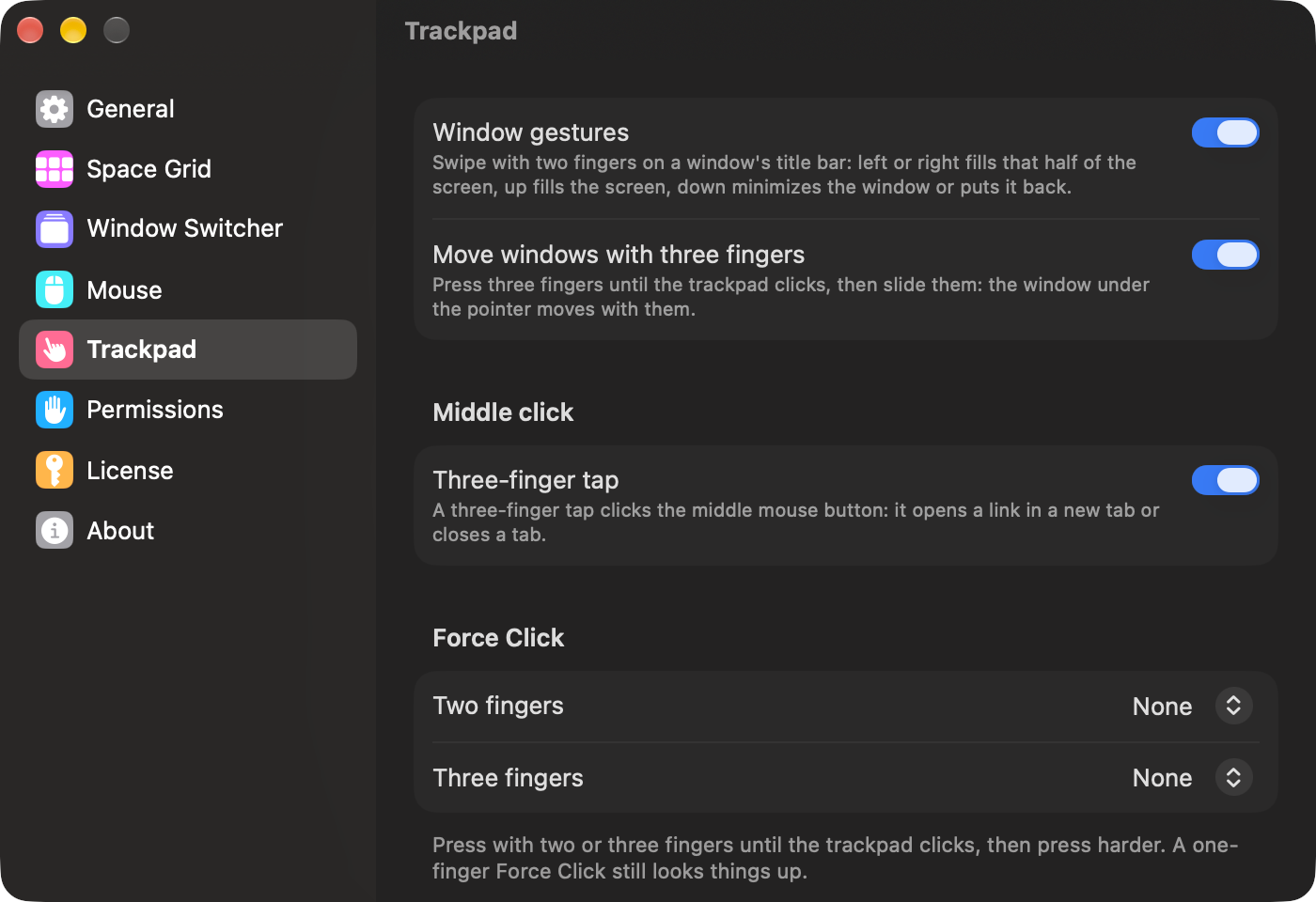
With Qesture, a three-finger tap clicks the middle mouse button. Tap a link with three fingers to open it in a new tab, or tap a tab to close it. It's on from the start.
If Look up is set to a three-finger tap, the tap can't be both. Qesture's setup window points this out: in System Settings → Trackpad, set Look up & data detectors to Force Click with one finger.
Force Click with two or three fingers
On a Force Touch trackpad, Qesture gives a Force Click with two or three fingers an action too. The pickers sit under Settings → Trackpad → Force Click, and the Force Click guide lists the actions. Both pickers are off until you choose one.
Actions for the middle button and buttons 4 and 5
In Qesture's Settings → Mouse, the middle button, button 4 and button 5 each get three triggers: Click, Double click and Hold. Each can run one of these:
- Back (⌘ [) or Forward (⌘ ])
- Mission Control, App windows or Desktop
- Space left or Space right
- Middle click, on buttons 4 and 5
- None
A click can also stay as the button's own click, which is how every button starts. The one action set from the start is a double click of the middle button, which opens Mission Control. When a button has a double click or hold action, its plain click waits a moment so Qesture can tell them apart. You'll find the three-finger tap on the Trackpad page of Qesture's Settings and the button actions on the Mouse page; both work once Qesture has Accessibility access.
Two more things for the middle button
- With the Window Switcher on, hold the middle button and click the right one to open it. Each click moves on, and letting go of the middle button switches.
- With Space Grid on, a mouse can move between desktops too: keep the middle button down and drag sideways for the next desktop, or up and down for another row of the Space Grid.
Questions
Where do Back and Forward work?
They press ⌘ [ and ⌘ ], which mean Back and Forward in Safari, Finder and many other apps.
Do I need a Force Touch trackpad?
Only for the Force Click actions. The three-finger tap works on any Mac trackpad.
Does my mouse need special software?
No. Qesture works with the buttons and wheel as macOS sees them. For smooth scrolling and a scroll direction of its own, see smooth scrolling for a mouse on Mac.