What Force Click does on a Mac, and how to give it more jobs
Published November 15, 2026 · By the Qesture team · macOS 26 and later
A Force Click is a click followed by a firmer press, until you feel a second, deeper click. macOS uses it for previews and lookups, and Qesture can give two more finger counts their own action without taking the first job away.
What a Force Click is
Click, then press firmly until the trackpad answers with a second click. That second click is what gives you Quick Look, Look up and variable-speed media controls. You need a Force Touch trackpad, with “Force Click and haptic feedback” on in System Settings → Trackpad → Point & Click.
What Force Click does in macOS
In Finder
Force Click a file to see it in Quick Look. Force Click a file's name to rename it.
In Safari and Mail
Force Click a link to see a preview of the page.
In the Dock
Force Click an app's icon to see its open windows in App Exposé.
On a word
Force Click a word to look it up. Some of these lookups need “Look up & data detectors” set to Force Click with One Finger in Trackpad → Point & Click.
How firmly you press
The Click setting under Point & Click chooses Light, Medium or Firm. Quiet Click lowers the sound of each click.
Give Force Click two more jobs with Qesture
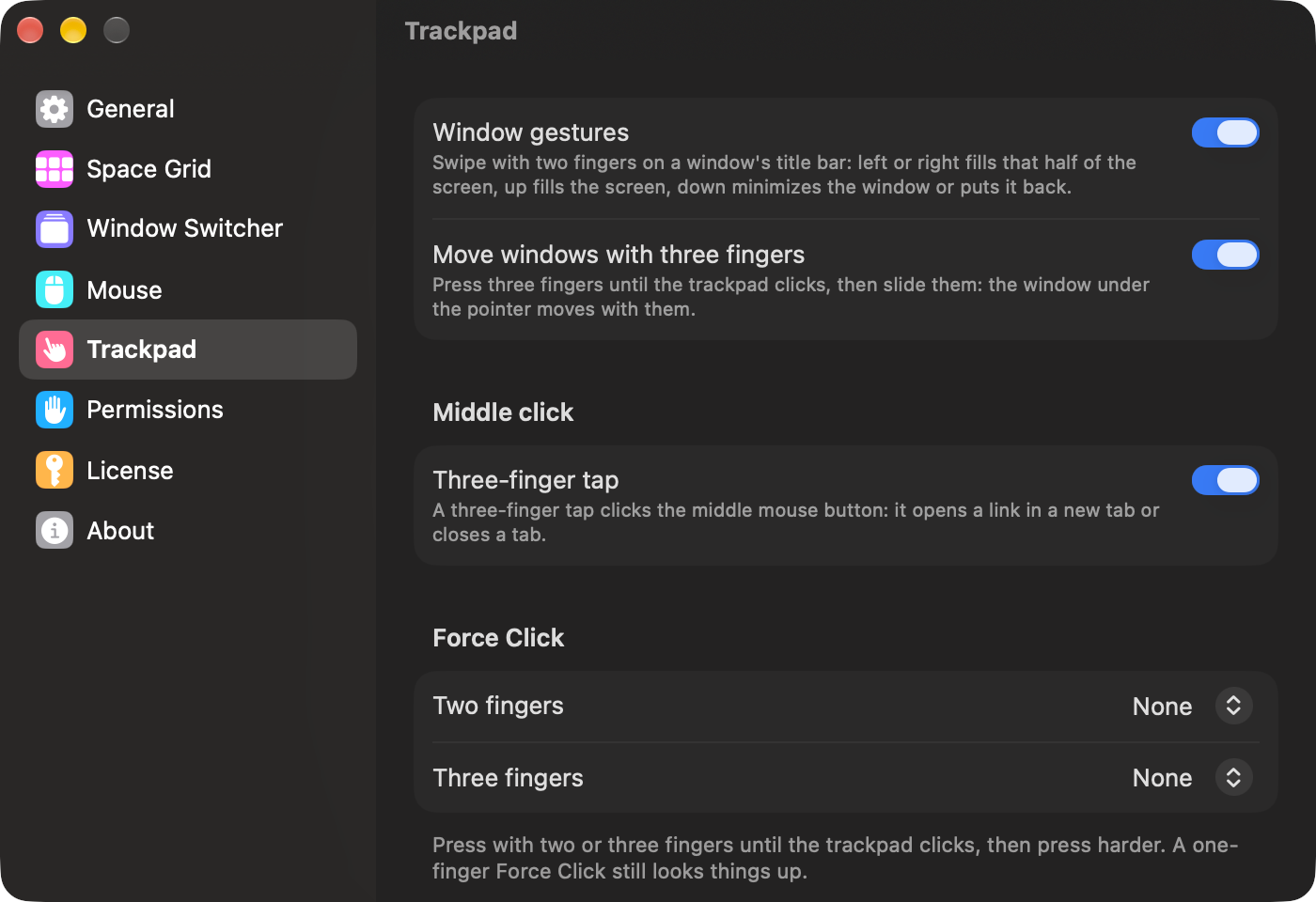
Qesture's Settings → Trackpad → Force Click has one picker for Two fingers and one for Three fingers, and each runs a single action. Both are None until you choose one. The actions are Mission Control, App windows, Desktop, Space left, Space right, Back (⌘ [) and Forward (⌘ ]). Press with two or three fingers until the trackpad clicks, then press harder.
A one-finger Force Click still looks things up, so macOS keeps the job it had. If Force Click is off in macOS's Trackpad settings, Qesture's Settings says so; turn on “Force Click and haptic feedback” there before the pickers can work.
Questions
Does Qesture change one-finger Force Click?
No. One finger still does what macOS set it to do, such as looking up a word or previewing a link. Qesture's pickers cover two fingers and three fingers only.
What if Force Click is off in Trackpad settings?
Qesture's Settings tells you it is off. Turn on “Force Click and haptic feedback” in System Settings → Trackpad → Point & Click, and the two- and three-finger actions start to work.
Does Force Click work with a mouse?
No. Force Click needs a Force Touch trackpad. On a mouse, Qesture puts actions on the middle button and buttons 4 and 5 instead.